Most programing languages have a set of functions available that the user can us without the need to program it himself. But the user can also define and use his own functions. Important to know is that in Python functions are treated like objects. This way they are way more flexible. As already mentioned, there are types of functions:
build-in functions and user-defined functions.
Build-in functions
Build-in functions are prepared functions for the user. The user can use them just by calling them. One very simple example for a function is print(). This function just takes the input and prints it in the console:

Build-in functions are also changing the type of an object like int() or float(), as well as to ask the type with object with type(). All of those are build-in functions. A list with some of the most important build-in functions are in the screenshot below. The link the the list is enclosed as well.

Some functions are already defined but not always available for the user. They need to be imported before they can be used. A simple example for a set of pre-defined functions is math. This package has a punch of defined functions like sqrt() (square root), log() (logarithm) or pi (Pi = 3,1415….). This functions need to be imported with import to save memory because they are not always used.
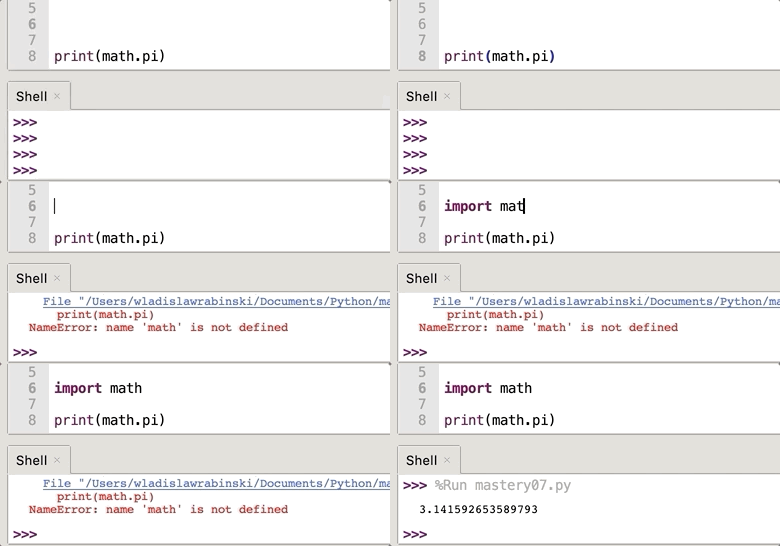
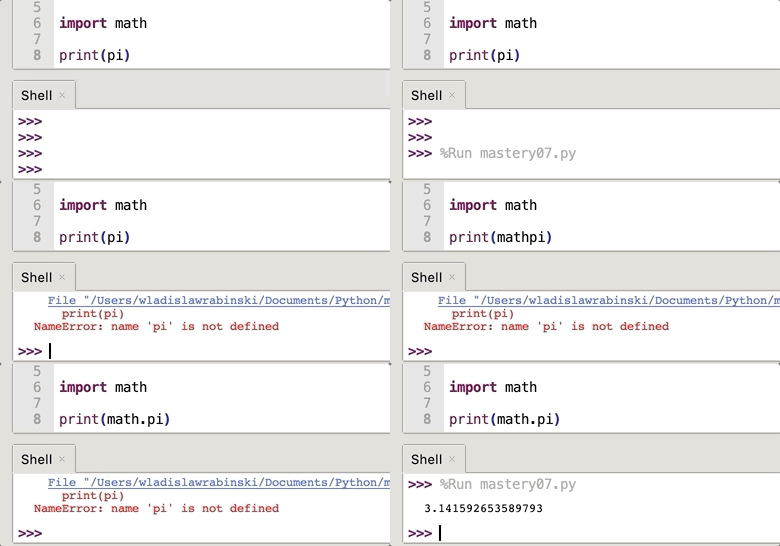
To use one of the imported functions it is important to refer to the imported package. In this case it is needed to write „math.“ in front of pi.
User-defined functions
User-defined functions are functions made by the user himself. The syntax for a new function is the following:
def functionname( parameters ):
    "function_docstring"
    function_suite1
function_suite2 ...
return [expression]
functionname is the name of the function by which it will be called in the program.parameters are the parameters which the function will expect. Important is the order in with the parameters will be given over. The function expects the parameters in the same order as it is defined."funcrtion_docstring" is optional and describes the how the function is supposed to perform. It can be understand like a comment.function_suite’s are responsible for the task of the function. A function can have more than one function suite.return [expression] is the last statement in a function. It sends an execution control back to calling the environment. If there is an expression added it will be returned as well.
In the following example the function myfunction is created and executed:
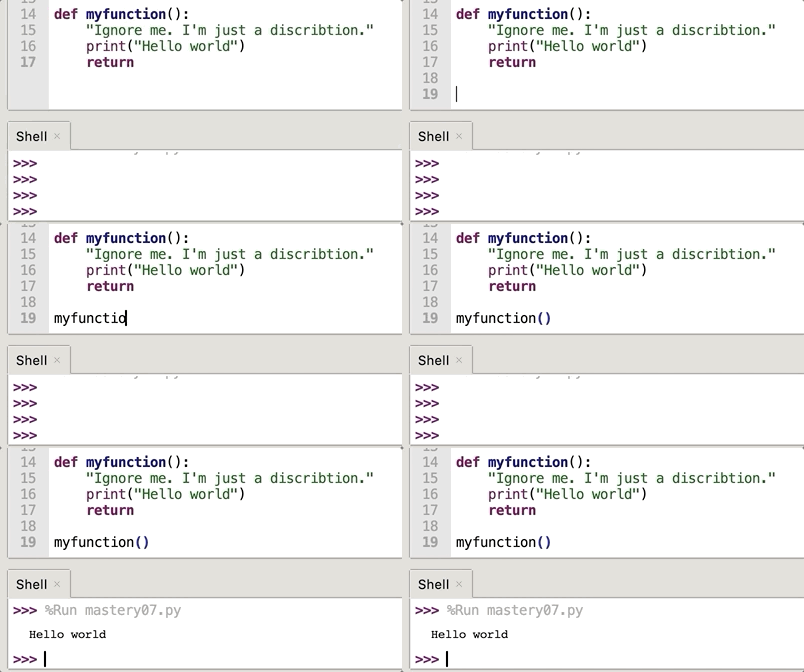
In this example no parameters are passed. To handle in a parameter, it is necessary to write the parameter name in the brackets.

It is also possible to enter an already existing variable into the defined function. The variable needs only to be defined. In the following example the variable is name1:

Helpful sources:
https://www.tutorialsteacher.com/python/python-user-defined-function
https://www.tutorialspoint.com/python/python_functions.htm
 TC1017